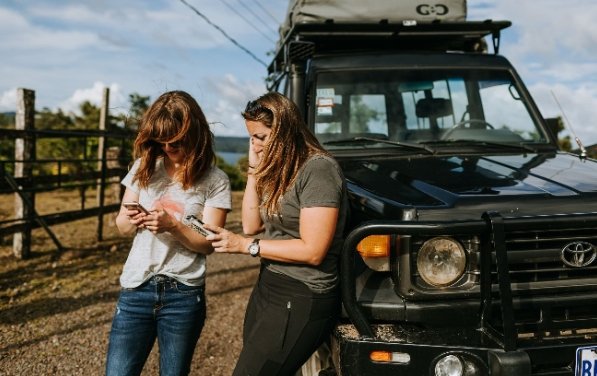
There’s no single gadget that fixes this everywhere. What works is a layered setup, a clear idea of what each layer can’t do, and a test run before you leave the driveway. Below, I’ll go through why connectivity matters on the trail, how the main options compare, how to plan a Starlink setup on a Jeep, SUV, or pickup, and how to get ready for the stretches where nothing works at all.
Why Internet Access Matters on Overlanding Trips
For some people, the internet on a trip is a nice extra. For others it’s part of getting the trip done safely.
Navigation is the obvious one. Offline maps will carry you down most roads, but they can’t tell you a bridge washed out last week or that a gate is now locked. A few minutes of live information can save you an hour of backtracking.
The weather is next. Conditions in canyon country or at elevation can turn quickly, and a fresh forecast helps you decide whether to stay put, move camp, or wait out a storm.
Then there’s communication. The family back home wants to know you’re okay, and your travel partners need to know where you’re headed. Cell coverage tends to vanish between towns, so it helps to have a plan for that before it happens.
If you work from the road, the stakes go up. Email and file uploads need a steady connection, and so do video meetings. Even then, a realistic idea of where you’ll have service matters as much as the gear itself.
And sometimes you just need to look something up: fire restrictions, campsite rules, permit details, a repair guide for a part that’s rattling. It’s a small thing until you’re parked at a trailhead with no way to check.
Compare Your Internet Options Before Leaving
Most overlanders end up using more than one method. Here’s how the main ones stack up.
Cellular Data and Hotspots
Cellular is the easiest place to start. Your phone, a dedicated hotspot, or a router in the vehicle connects to nearby towers, and along highways and near towns it often works fine.
Once you leave those corridors, it gets unreliable. A coverage map is a rough guide, not a guarantee, and a ridge or canyon wall can kill a signal that the map says should be there. Carriers also vary a lot by region. The one that works great in your home state might be nearly useless two states over, which is why some travelers carry service from two different carriers.
Check your plan’s hotspot rules too. Many have separate data limits or slow your speeds after a certain amount of use. External antennas and signal boosters can help in weak-signal areas, but they can’t create a signal where no tower is reachable, and you’ll want to confirm that any booster you buy is approved for use where you live.
Offline Maps
Offline maps aren’t internet, but they’re probably the most useful thing on this list. Download your route, trail layers, and points of interest before you go, ideally at home on a good connection and not at the trailhead.
The catch is that they go out of date. They won’t know about a road closed after a storm or a campsite that’s been shut down. Treat them as your base layer and add live information when you can get it.
Satellite Internet
For satellite internet for camping, Starlink is the name most people recognize. Consumer systems can deliver broadband-style service in open areas with no cell towers nearby, which is a big reason overlanders and remote workers keep asking about them.
It isn’t magic, though. The dish needs a wide view of the sky, so trees, canyon walls, and sometimes parts of your own vehicle can interfere. It also needs power, and the load adds up if you run it for hours. Plans differ in where and how you can use them, and not every plan or piece of hardware supports use while the vehicle is moving. Weather and network congestion can slow things down as well.
Plan names, coverage rules, and in-motion terms have changed several times, and different websites don’t always agree. Starlink’s own support pages are the place to confirm current details before you buy hardware or sign up for service.
How to Plan a Starlink Setup for Your Vehicle
If you’re considering a Starlink overlanding setup, resist the urge to start by shopping for a mount. Work through a few questions first.
Verify Device and Service Compatibility
Starlink sells several dish models, and they differ in size, power draw, and intended use. A smaller dish is generally easier to carry and mount on a vehicle. A larger one may make more sense for a more permanent install.
Then look at the service plan. Mobile plans come with different rules for regions, international travel, and in-motion use, and those rules shift over time. Read the current plan description on Starlink’s site and confirm two things: that it covers where you plan to travel, and whether your specific dish and plan combination is supported while the vehicle is moving. If it isn’t, you can still use it parked at camp. You just shouldn’t count on it when you’re rolling.
Plan the Mounting Location and Sky Visibility
The dish needs a clear, wide look at the sky. Starlink’s app includes an obstruction checker, and it’s worth using it at the exact spot you’re thinking about, not just in a general sense.
On a Jeep, SUV, or pickup, the usual options are the roof or roof rack, a hood or cab roof, or somewhere inside the vehicle against the glass or under a hardtop. Roof placement usually gives the best view but adds wind exposure and height. Interior placement protects the dish, but windows, tint, roof structure, and wiring can all interfere, so test it before you commit. And plenty of people simply set the dish on the ground at camp, away from trees, which is often the easiest way to get a clean view.
It helps to think about camp and travel separately. A spot that works when you’re parked may be a bad idea at highway speed, and the other way around.
Plan Power and Cable Routing
Look up the power requirements for your exact model. Some Starlink hardware can run on DC power, while other kits expect AC and need an inverter. Compare that draw to what your battery, alternator, or portable power station can supply, especially if you’ll run it for long stretches at camp.
Cables get overlooked until they cause trouble. Route them so they don’t get pinched in a door, rub on a sharp edge, or dangle where a branch can catch them. Leave enough slack that you can lift the dish off without yanking on anything, and protect any pass-through points from water and dust.
Confirm Permitted Usage
Starlink’s terms spell out where service works and under what conditions, including whether a given plan and dish can be used in motion. Local laws may also limit what you can attach to a vehicle and how it can be used while driving. Not every dish, plan, or mount is approved for use on a moving vehicle, so check with Starlink and with the rules where you’ll be driving. And whoever’s behind the wheel shouldn’t be fiddling with a device or watching a screen.
How to Choose a Starlink Mount for Your Overlanding Vehicle
The mount is where a vehicle-mounted Starlink setup either feels tidy or becomes a nuisance. A poor fit can mean a rattling dish, a scratched roof, or a cable you wrestle with every morning.
Vehicle and Device Compatibility
Two things need to match. The mount has to be made for your Starlink model, since one designed for a compact dish won’t necessarily hold a larger one. And it has to suit your vehicle’s year, body style, and trim, because roof shapes, rack systems, hardtops, and dashboards vary a lot from one model to the next.
Most mount makers list the dishes and vehicles they support, so read that closely. No mount fits every vehicle or every Starlink model, and “universal” is worth double-checking against your own setup. If you want to see how designs differ by vehicle and mounting position, looking through Starlink mounting options for different vehicles is a reasonable way to start. Just confirm the supported dish and vehicle years on each listing before ordering.
Installation Location
Mounts tend to fall into a few groups. Exterior mounts attach to a roof, hood, or body panel. Crossbar mounts clamp onto a roof rack you already have. Magnetic mounts need a steel surface. Interior mounts sit on the dash or under a hardtop.
Each has trade-offs. Exterior and rack mounts usually give the best sky view but face more wind and trail abuse. Interior mounts are protected, though you’ll want to verify that the signal holds up through glass and roof structure. Magnetic mounts need clean contact with steel, so they won’t suit aluminum or fiberglass panels, and you should look at the manufacturer’s stated limits, including any speed guidance.
Removal Requirements
Very few people leave a dish on all the time. You may want it off for a car wash, a low parking garage, a narrow trail with overhanging branches, or when you leave the vehicle unattended. Before you buy, ask how fast the mount comes off, whether it takes tools, and where the dish will live once it’s detached.
Clearance and Cable Routing
Measure your height with the dish installed, then add anything else already on the roof. Think about parking structures, tree limbs, and tight trail sections. It’s also worth checking whether the mount gets in the way of doors, a tailgate, a roof rack, or an awning.
After that, trace the cable path from the dish to your power source. A clean route that avoids door seals and moving parts will hold up much better than a rushed one.
Manufacturer Instructions
Follow the installation instructions for both the mount and the Starlink hardware, including fasteners, torque specs, and surface prep. Check everything again after your first few drives. Washboard roads and constant vibration have a way of loosening things you thought were tight.
Prepare for Connectivity Gaps Before Your Trip
You’ll hit dead zones no matter how good your setup is, so most of the work happens before you leave, while the internet is still fast.
Download offline maps for the whole route, plus a buffer for detours, and add trail overlays, public land boundaries, and fuel and water stops. Save the paperwork you might need: permits, reservations, campground rules, emergency contacts, and vehicle manuals. PDFs or screenshots on your phone work fine, and a copy on a second device is better.
Check the weather for the route and for the days after you plan to head home. Save what you find, but remember it gets older the longer you’re out of range.
Then test your gear. Set up the dish, router, and power connections in the driveway or a local parking lot and make sure everything powers on, connects, and routes the way you expected. A quiet Sunday test beats finding a problem on day three.
Know your limits, too. Figure out which parts of your route have cell coverage, which need a clear sky for satellite, and how your plan handles data use, location, and movement.
Finally, carry some form of backup communication. Satellite messengers and personal locator beacons exist for the situations where nothing else connects. Learn how yours works before you need it, and make sure someone at home knows your route and when you expect to be back.
Build a Setup That Fits Your Travel Style
The right setup depends on how you travel, not on how much gear you can fit in the truck.
A weekend car camper who stays within reach of cell towers will probably be fine with a phone hotspot and good offline maps. Someone who works remotely and parks for days in open country may get more out of a satellite dish set up at camp. A long-distance overlander crossing areas with little coverage might use all three layers, plus a dedicated emergency communicator.
A few questions usually settle it:
- How often do you travel beyond cell coverage?
- Do you need internet parked, moving, or only at camp?
- How much power can your vehicle realistically supply?
- Does your plan and hardware support how you intend to use it, including any in-motion use?
- Do you want a mount that stays on or one that comes off easily?
Start simple and test as you go. Add pieces once you know what you actually need. The best overlanding internet setup is the one you understand well enough to trust when conditions get rough, with a backup for when it can’t deliver.
Joytutus is a company that makes automotive travel accessories for Jeep, SUV, and truck owners, including vehicle-specific Starlink mounts. As with any accessory, check fitment and compatibility on the product page before you order.